

Machine learning is about teaching computers to make decisions by showing them examples. One of the simplest ways to do this is an algorithm called K-Nearest Neighbors (KNN).
KNN is a supervised machine learning algorithm used to sort new data into categories. To do that, it looks at the examples it has already seen and asks: which ones are most similar to this new piece of data? Whatever category most of those similar examples belong to, that is the category it assigns.
Plotting Data as Points on a Graph
Before KNN can do anything, the data needs to be turned into a format a computer can work with. That format is numbers, and those numbers can be plotted as points on a graph.
Here is how it works. Say you want to teach a computer to tell the difference between cats and dogs based on two measurements: tail length and ear shape (scored on a scale from pointy to floppy).
For each animal in your dataset, you have two numbers. Ear shape becomes the position on the horizontal axis (left to right), and tail length becomes the position on the vertical axis (up and down). That gives every animal a specific spot on the graph. A dog with a long tail and floppy ears ends up in the top right. A cat with a short tail and pointy ears ends up in the bottom left. Each animal is now a single dot.
These measurements are called features.
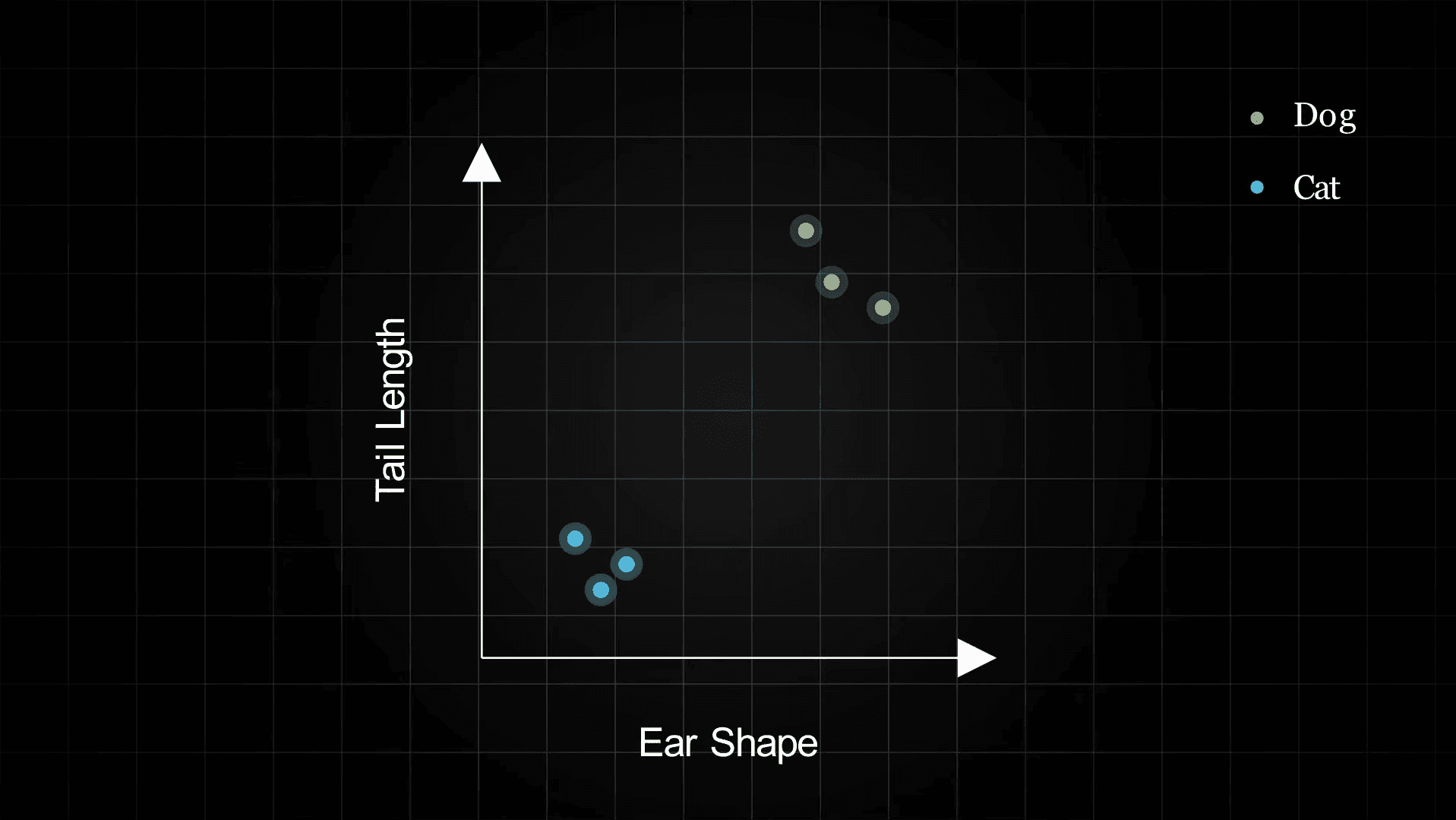
Once every animal is plotted, animals of the same type tend to cluster together. Cats, with their shorter tails and pointier ears, group near other cats. Dogs, with longer tails and floppier ears, group near other dogs. That clustering is what KNN takes advantage of.
This collection of labeled examples is called the training data.
How does KNN use a data point's features?
How KNN Makes a Prediction
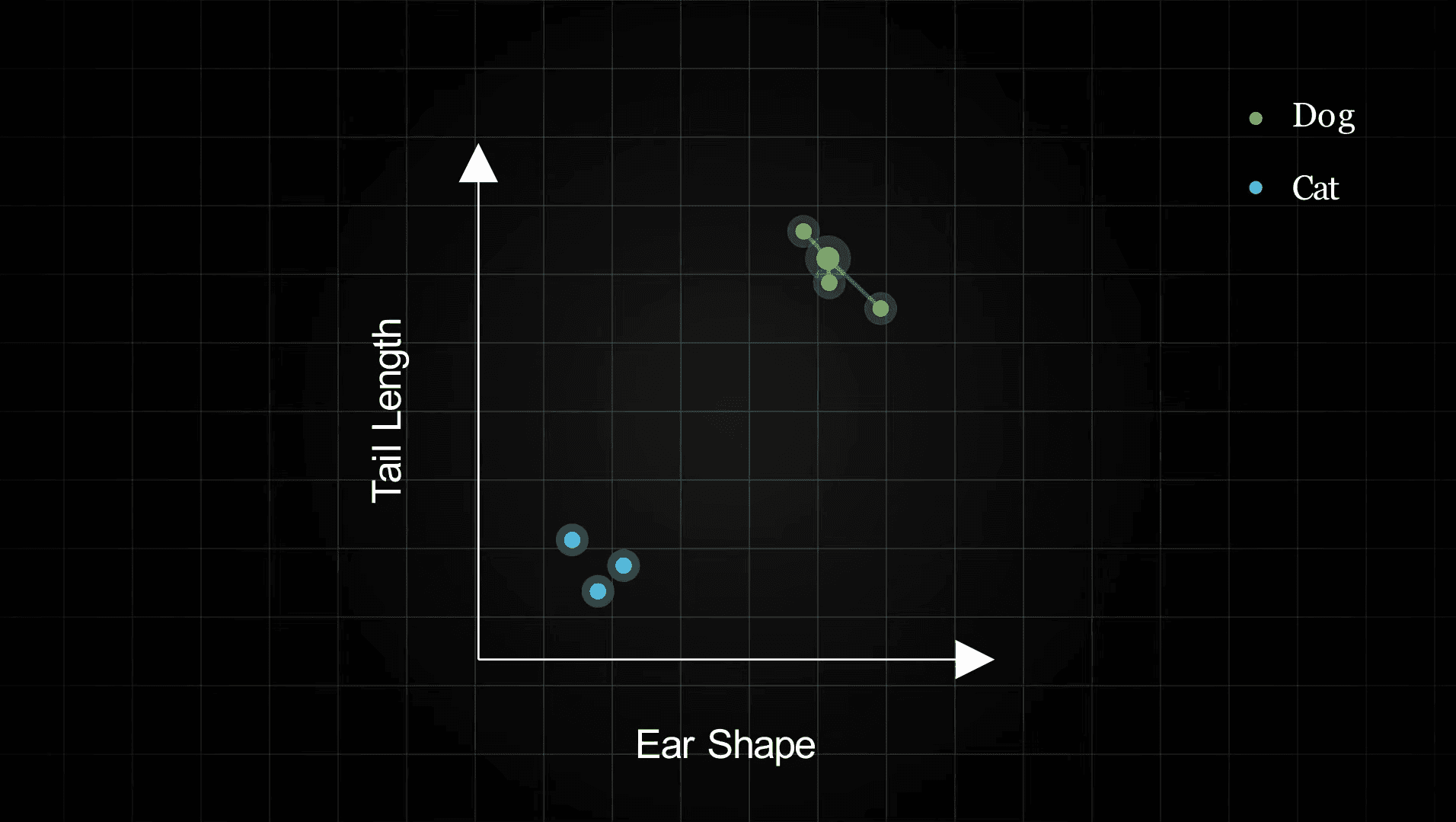
When a new, unlabeled animal comes in, KNN measures its tail length and ear shape, then plots it on the same graph. Then it looks at the K closest labeled points around it. Those are its nearest neighbors.
Each neighbor gets one vote. Whichever label gets the most votes wins, and that becomes the prediction.
Choosing K
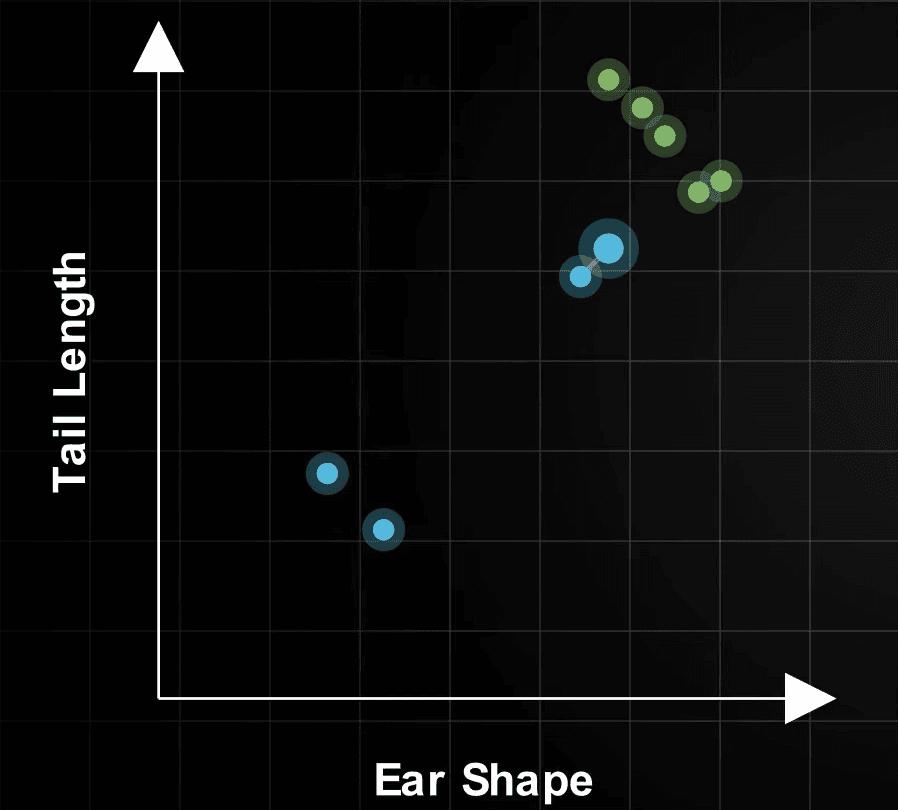
The number K controls how many neighbors get a vote.
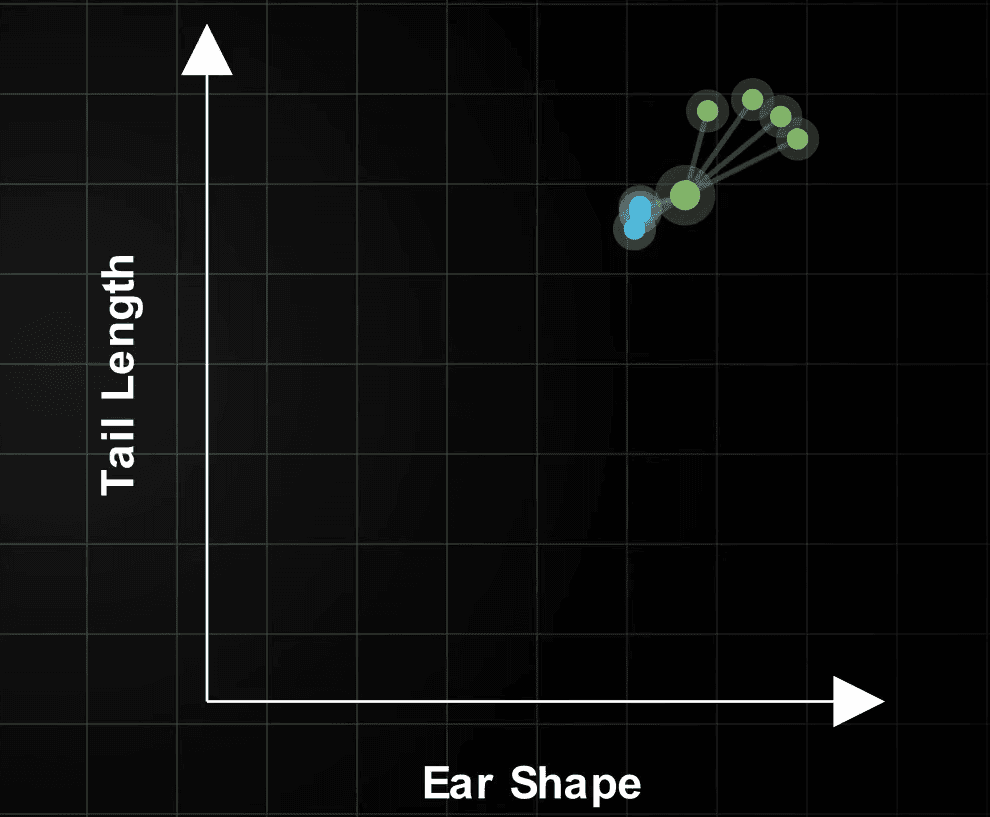
If K is small, like 1, the prediction is based entirely on whichever single point happens to be closest. That one point might be an unusual outlier, which can throw off the result. This is called overfitting.
If K is large, many points vote, which smooths out those mistakes. But if K is too large, the model starts pulling in points that are not really that similar, and the predictions become too general.
What is the risk of setting K = 1?
How KNN Measures Distance
To find the nearest neighbors, KNN needs to measure how far apart two points are on the graph. The most common way to do this is Euclidean distance, which is just the straight-line distance between them, the same as if you put a ruler on the graph.
The closer two points are, the more similar the algorithm considers them to be.
Implementing KNN in Python
Python's Scikit-learn library makes it easy to build a KNN classifier. The example below uses the Iris dataset, a classic beginner dataset with measurements of three types of flowers.
Start by loading the data and splitting it into a training set and a test set:
from sklearn.datasets import load_iris
from sklearn.model_selection import train_test_split
from sklearn.preprocessing import StandardScaler

iris = load_iris()
X, y = iris.data, iris.target

X_train, X_test, y_train, y_test = train_test_split(
    X, y, test_size=0.2, random_state=42
)

scaler = StandardScaler()
X_train = scaler.fit_transform(X_train)
X_test = scaler.transform(X_test)
The scaling step adjusts all the measurements to a similar range. This matters because KNN uses distance. If one measurement is in the thousands and another is in the tens, the larger one will always dominate the distance calculation, even if both measurements are equally important.
Next, train the model and check how well it performs:
from sklearn.neighbors import KNeighborsClassifier
from sklearn.metrics import accuracy_score

knn = KNeighborsClassifier(n_neighbors=5)
knn.fit(X_train, y_train)

predictions = knn.predict(X_test)
accuracy = accuracy_score(y_test, predictions)

print(f"Accuracy: {accuracy:.2%}")
# Accuracy: 90.00%
To find the best K, test a range of values and see which one performs best:
accuracies = {}

for k in range(1, 21):
    model = KNeighborsClassifier(n_neighbors=k)
    model.fit(X_train, y_train)
    accuracies[k] = accuracy_score(y_test, model.predict(X_test))

best_k = max(accuracies, key=accuracies.get)
print(f"Best K: {best_k} ({accuracies[best_k]:.2%} accuracy)")Why do we scale the features before training KNN?
What About More Than Two Features?
The examples above use two measurements so they are easy to draw on a graph. Real datasets often have dozens or hundreds of measurements per example. You cannot draw a 100-dimensional graph, but KNN works the same way regardless of how many features there are.
For any number of features, the steps are always:
- Calculate the distance between the new point and every training example.
- Pick the K closest ones.
- Count which label appears most among them.
- Assign that label to the new point.
Conclusion
K-Nearest Neighbors works by turning data into points on a graph and finding the labeled examples closest to a new, unlabeled point. Whatever label most of those neighbors have, that is the prediction.
It is a great first algorithm to learn because the logic mirrors how people naturally think: if something looks like a duck and walks like a duck, it is probably a duck. The same intuition powers a lot of more advanced machine learning as well.